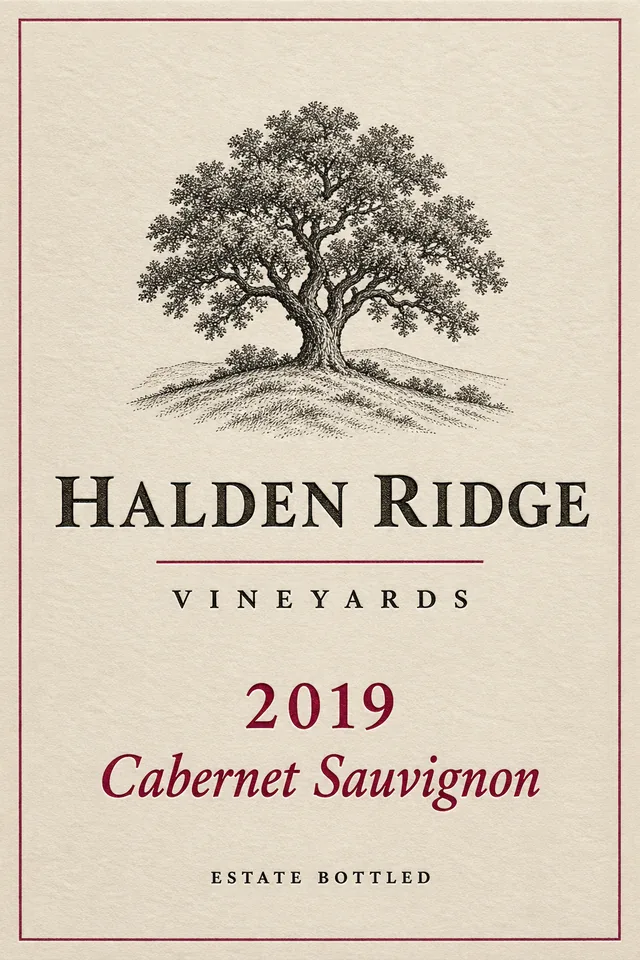
Halden Ridge Vineyards
Estate 2019
- Drinking window
- 2024 to 2038
- In your cellar
- 7 bottles
Coming to iPhone and iPad
CellarView scans your wine, maps exactly where each bottle sits in your racks, and tells you when it’s ready to drink.
Barcode or label, a bottle is in your cellar in seconds.
Every rack, every row, every bottle deep, laid out the way your cellar really is.
A quiet nudge when a wine reaches its window, with the slot where it sits.
Scan to cellar
Point your iPhone at the bottle. CellarView looks it up and fills in what it finds, with the torch one tap away in a dim cellar.
No barcode, or not enough detail? Snap the label. CellarView picks out the producer, vintage, and grape, and knows about 230 varieties and their synonyms, like Shiraz and Syrah.
Every suggested field shows where it came from. Change anything you like. Nothing is saved until you say so.
CellarView spots wines you already own and offers +1 bottle, or a new vintage of the same wine.
The cellar map
Set up each rack the way it really is: rows across, rows down, and bottles deep. Tap a slot to see what’s there, look behind the front row, or cut the rack open from the side.
Rack A · 8 across × 6 down × 2 deep
Sample cellar with fictional wines. Your racks can be any size, and CellarView suggests a free slot when you add a bottle.
Drinking window
Every wine gets a window: hold, drinkable, peak, and past peak. Badges use words and icons, never color alone.
Tenuta Brisa
Hold · Still developing
Notifications
Get an alert as a wine nears its peak, or one tidy digest. Act on it right from the notification.
Try it: tap the first notification.
Tasting notes and sources
Import your own CellarTracker data, add the producer’s tech sheet, and connect the critic sources you subscribe to.
Halden Ridge Vineyards
Your note · imported from your CellarTracker data
“Cassis and cedar, firm but polished tannins. Better with another year or two.”
Producer tech sheet
A link you add from the producer’s site. CellarView keeps it with the wine and opens it when you need it.
Critic sources
Connect the publications you already subscribe to. CellarView shows what your access allows and links out to the full review.
New info available
Your producer tech sheet suggests a drinking window of 2025 to 2036. You have 2024 to 2038.
Kept your window.
New info is always a suggestion. CellarView never overwrites what you entered.
Stay current
Choose how often CellarView checks your sources, when iOS allows. Limit it to Wi-Fi or charging, or set a rule for one wine.
Checks weekly, on Wi-Fi only, when iOS allows.
Stats
See bottles by varietal and vintage, how much is ready now, and what you’ve opened each month.
Charts use the sample cellar shown above. Opened-per-month figures are illustrative.
Privacy and control
No ads and no tracking. CellarView is built for the App Store privacy label “Data Not Collected.”
Sync is off until you turn it on, and then it runs through your own iCloud account.
Export your whole cellar to CSV at any time, or import a CSV to get started.
Barcode and wine lookups go only to the information sources you use.
iPhone and iPad
Scan with your iPhone in the cellar. On iPad, browse your wines with the map open right beside them.
Accessibility
Text grows with your iPhone’s size setting, everywhere in the app.
“Halden Ridge Estate 2019. Red. At peak. Row 3, slot 4, front.”
Every bottle in the map has a spoken label, just like the demo on this page.
Animations calm down when Reduce Motion is on, in the app and on this site.
Every maturity badge pairs its color with a word and an icon.
Every bottle has a moment.
CellarView helps you find it.
CellarView is coming to iPhone and iPad. Join the waitlist and we’ll email you when early access opens.